
Every printer in one list
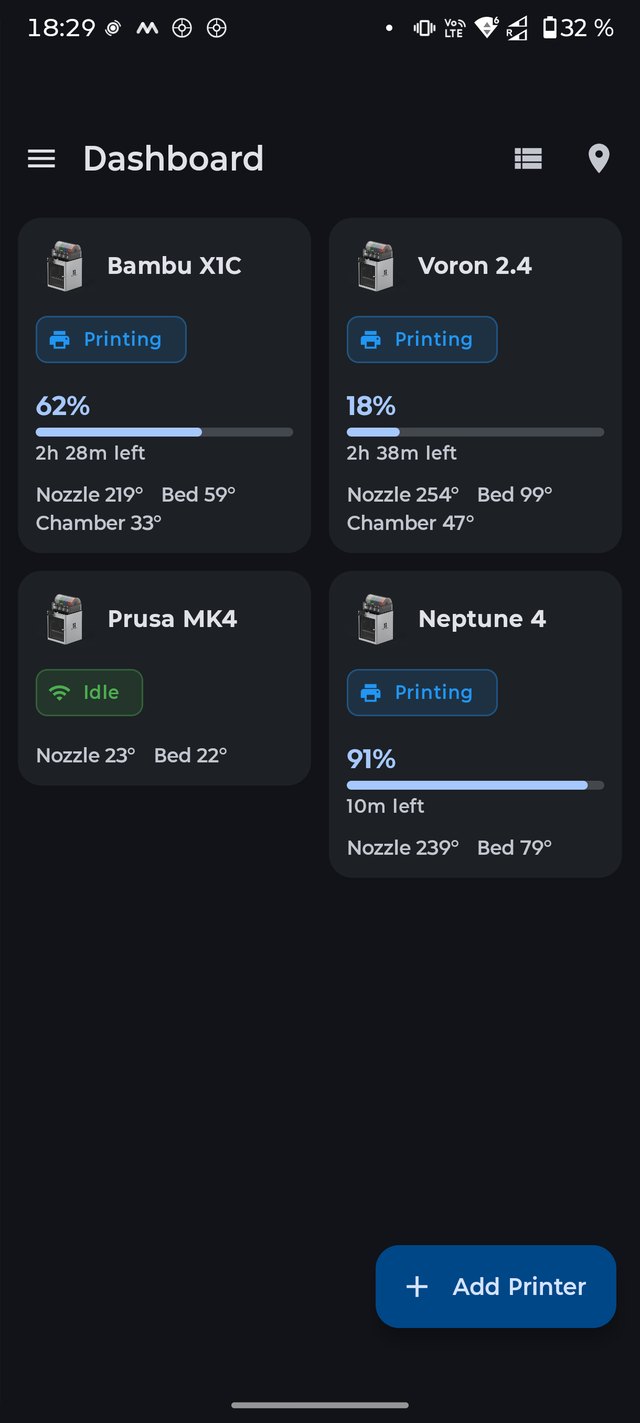
Four machines from three vendors should not mean four apps. Klipper, Bambu Lab, OctoPrint, Prusa, Duet and Repetier report into the same screen — status, temperatures, progress and camera.
What connects
Klipper and Moonraker
Full status, G-code console and interactive calibration macros, including bed screw adjustment with the real screw names from your config.
Bambu Lab over LAN
X1, P1, A1 and H2 in LAN mode — no cloud account needed. The printer reports its own model, so the app does not guess. Cloud login is available if you prefer it.
OctoPrint
Job status, temperatures and control through the API key, with the same write-off of filament when a print ends.
Prusa Connect, Duet, Repetier
The rest of the shelf, in the same list and the same accounting — no second app and no second spreadsheet.
What you can do from the phone
Watch. Status, nozzle and bed temperature, progress, time left, and a camera view for each machine.
Intervene. Pause, resume, cancel, send G-code from a console with history — the validator warns but never blocks, because Klipper macros are legitimate commands a strict parser would reject.
Calibrate. Interactive macros walk through bed screws and other routines instead of leaving you to retype coordinates.
Be told. Telegram, Discord or your own webhook when a job finishes or a printer errors out — with Bambu Lab error codes translated into plain language.
Recover. A smart plug can power-cycle a printer that has stopped answering, without a trip to the workshop.
Questions
Do I need a cloud account for Bambu Lab?
No. LAN mode works with the access code from the printer's screen. If the printer reports an authentication error, it is almost always the access code, not the network.
Does it work outside my home network?
Yes, through your own VPN or Tailscale — the app talks to the address you give it. There is no SpoolFarm server in the middle, which is also why we cannot see your printers.
Will it eat my mobile data?
Bambu printers push around 13 KB every second or so on their own and that rate is not adjustable, which adds up on a metered connection. There is a mobile-data saver for exactly this.
Does watching printers drain the battery?
It did, and that was fixed: background use dropped from about 21 % to 4–6 % of the app's share. The cause was not the monitoring itself but repeated decryption of stored settings on every update.
Can it spot a failed print?
Yes, with your own self-hosted Obico ML server. Frames go to the address you configure and nowhere else.
Monitoring is half of it
The other half is money: the print cost calculator and filament inventory use what the printers report.